
Open-tracking consent: what changes with the CNIL (effective July 14, 2026)
Updated on November 28, 2026
The “tracking pixel” used to measure the opening of your emails is now regulated by the CNIL (the French data protection authority). As of July 14, 2026, using it for marketing purposes requires, in principle, that you have first obtained the recipient’s prior consent. Don’t worry: OxiMailing keeps you compliant, in the desktop software as well as in the web app.
What the CNIL requires
In its recommendation (deliberation no. 2026-042 of March 12, 2026, published on April 14, 2026), the CNIL considers that inserting an open-tracking pixel into an email amounts to reading information stored on the recipient’s device. As such, it requires the recipient’s prior consent for most marketing and analytics purposes: measuring opens to optimize campaigns, profiling, and targeting.
The legal basis is Article 82 of the French Data Protection Act (“loi Informatique et Libertés”, which transposes the European “ePrivacy” directive), in addition to the GDPR. Importantly, the data controller for this processing is the sender of the email (the advertiser), even when they use a technical routing provider such as OxiMailing.
💡 Some purposes remain exempt from consent, but they are strictly framed: deliverability measurement that is strictly necessary for the requested service (for example, identifying inactive addresses by keeping only the date of the last open, without the time), security and authentication measures, or recording an open as proof of delivery when a legal obligation requires it.
In practice, organizations were given a grace period to inform their existing databases and let recipients opt out. That period ends on July 14, 2026, the date from which the CNIL has announced it will carry out checks.
For more details, see the official sources (in French):
- CNIL recommendation — press release (for professionals)
- Tracking pixels: you must be better informed (general public)
- The full text of the recommendation (PDF)
- Légifrance — Deliberation no. 2026-042 of March 12, 2026
How to stay compliant?
Software
In OxiMailing 11, consent is managed recipient by recipient, as in the web app: opens are only measured for recipients who have given their consent. Clicks are always tracked.
Each recipient’s consent
In the recipient list, select the rows you want then open the “Consent” menu: “Yes (consent collected)…”, “No (no open tracking)” or “Unknown”.

When importing a file, a column of your file can state each recipient’s consent (yes / no).
The campaign setting
In “Filters & sending”, check “Track opens and clicks”, then click “Edit…” to choose how to handle recipients whose consent is unknown:
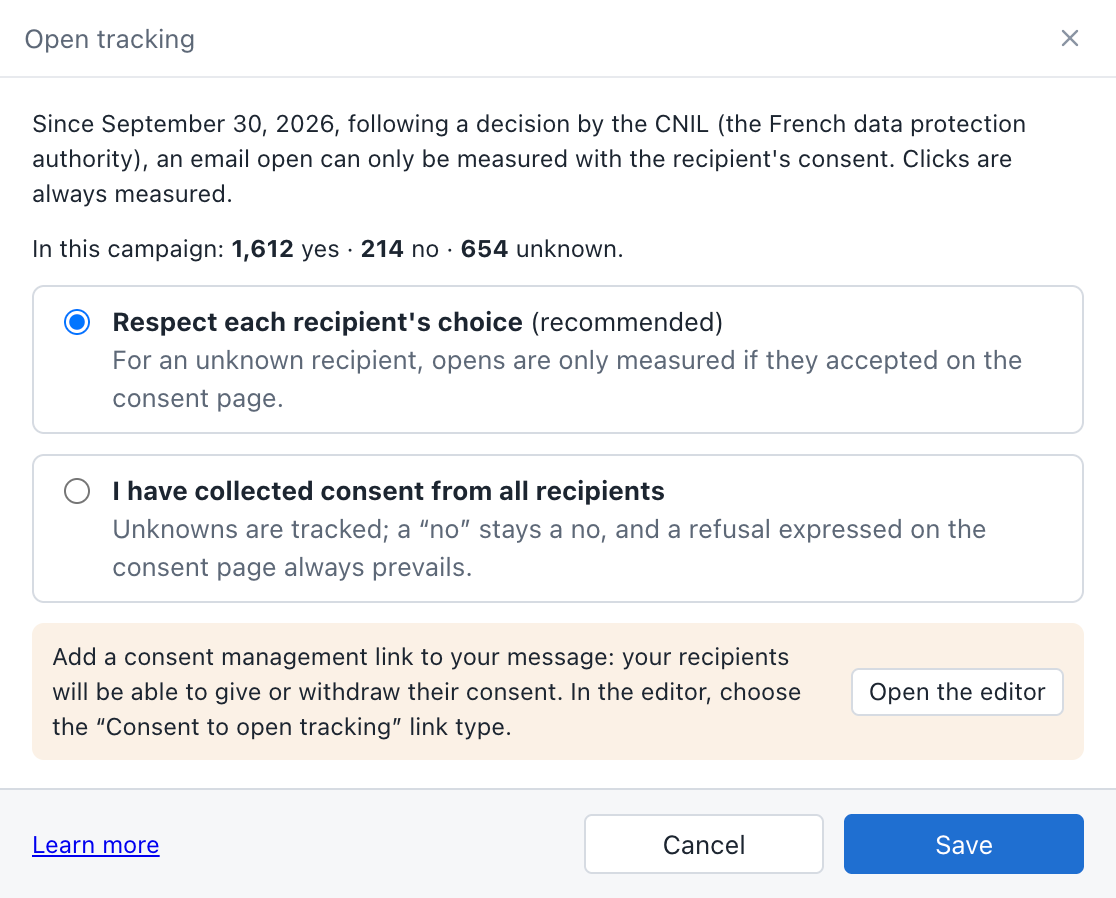
- “Respect each recipient’s choice” (recommended): for an unknown recipient, opens are only measured if they accepted on the consent page;
- “I have collected consent from all recipients”: unknowns are tracked; a “no” stays a no, and a refusal expressed on the consent page always prevails.
Consent change link
Your messages can — and should! — contain a consent change link: in the editor, when you insert a link, choose the “Consent to open tracking” type (“Standard links” section).
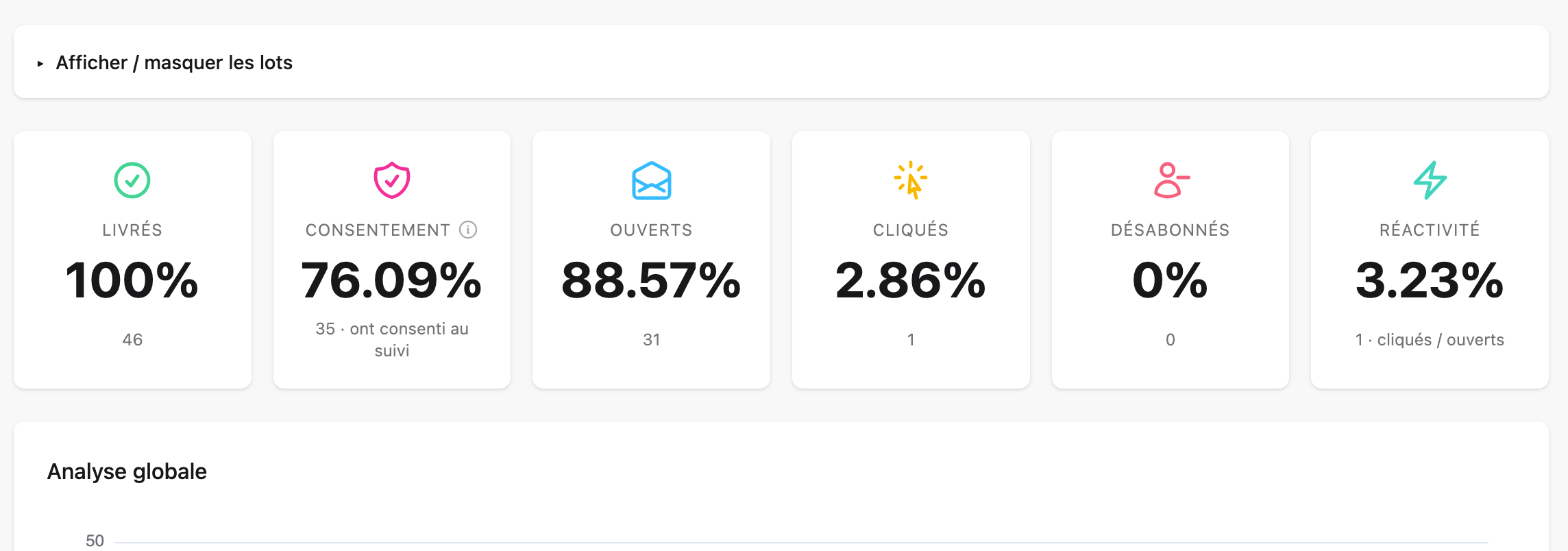
The tracking reports distinguish overall statistics from those allowed by consent to tracking.
Still using the old version of the software (10.x)? The “Enable open tracking” box, unchecked by default, turns off the open pixel for the whole campaign.
Web app
In the web app, consent management is fully integrated, recipient by recipient: opens are only measured for recipients who have given their consent. Clicks, on the other hand, are always tracked.
Collecting addresses
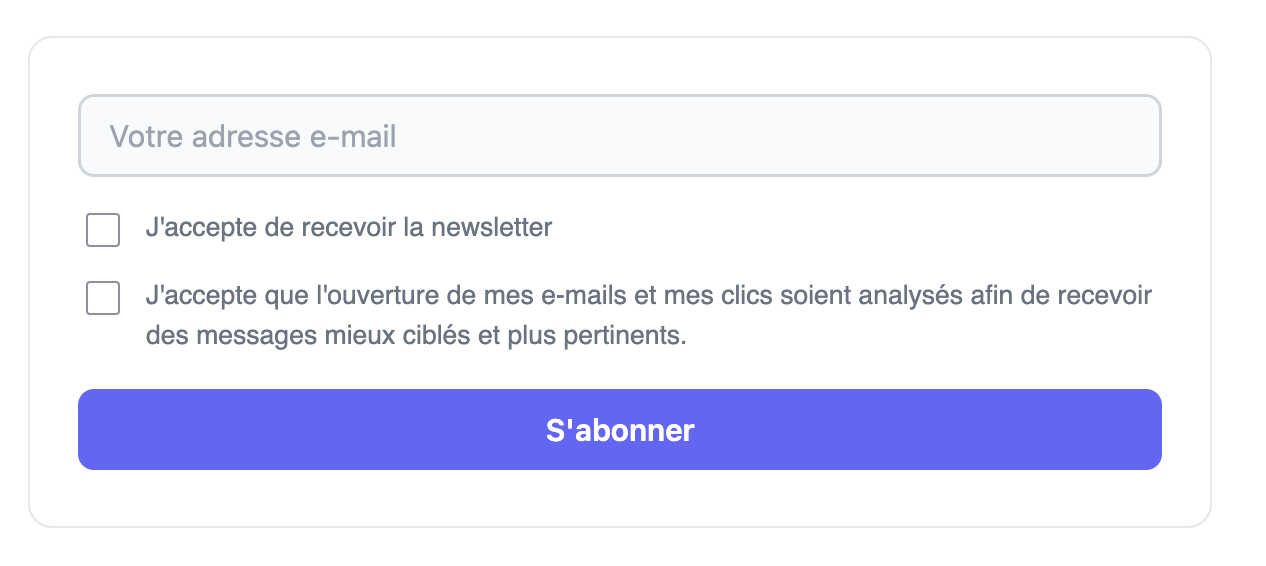
Your sign-up forms (“Settings” > “Newsletter forms”) can ask for tracking consent at sign-up: enable the “Show the open-tracking consent checkbox” option.
Status visible in the Contact Manager
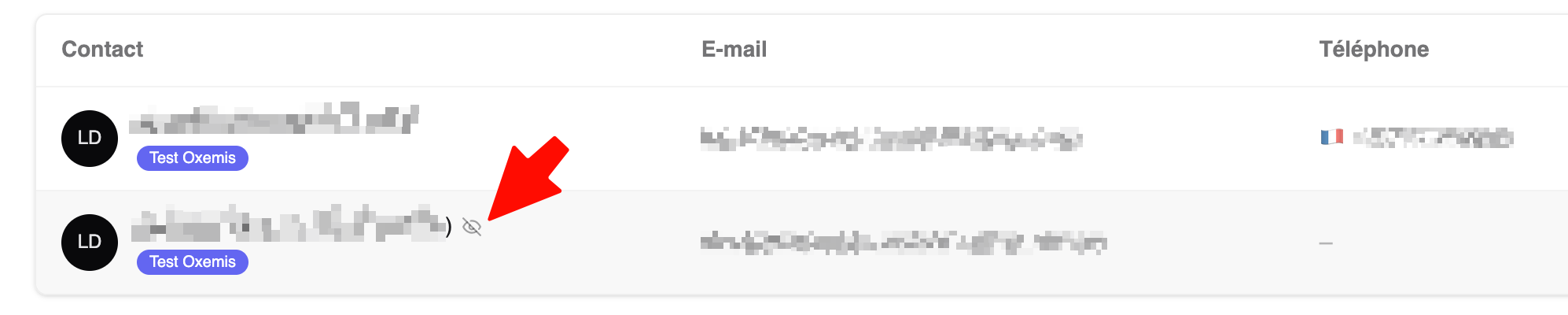
This consent status is stored and visible for each contact in the Contact Manager. It can also be edited manually, on the contact’s record or for several contacts at once (select them, then click “Consent”), with a change history as required by the CNIL.
Importing and updating your contacts
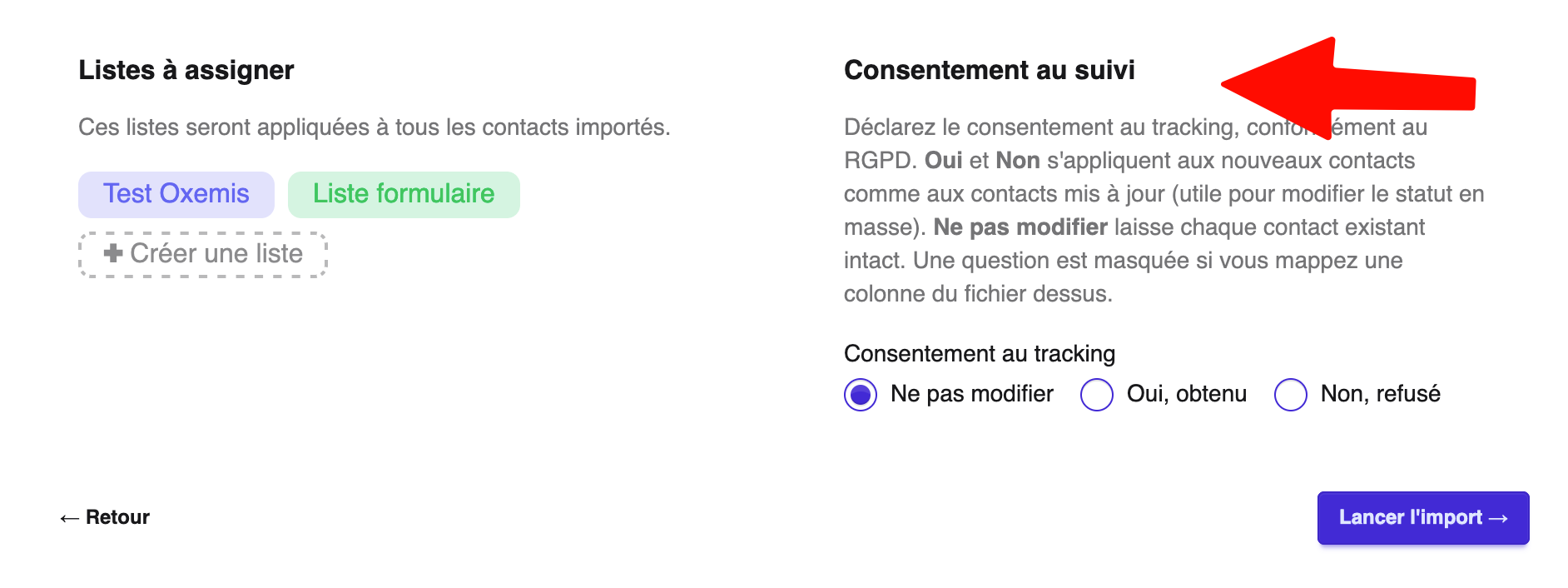
When you import or update your contacts, the “Tracking consent” area lets you indicate whether or not you have consent (when it was collected separately), or point to a column in your file that contains this information.
Consent-management link
Your messages can — and should! — contain a consent-management link: when you insert a link, choose the “Consent to open tracking” type (in the “Standard links” section).
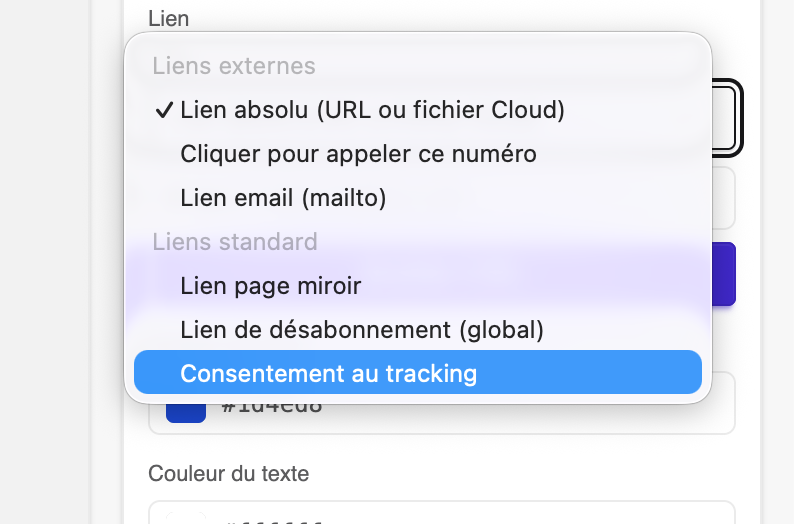
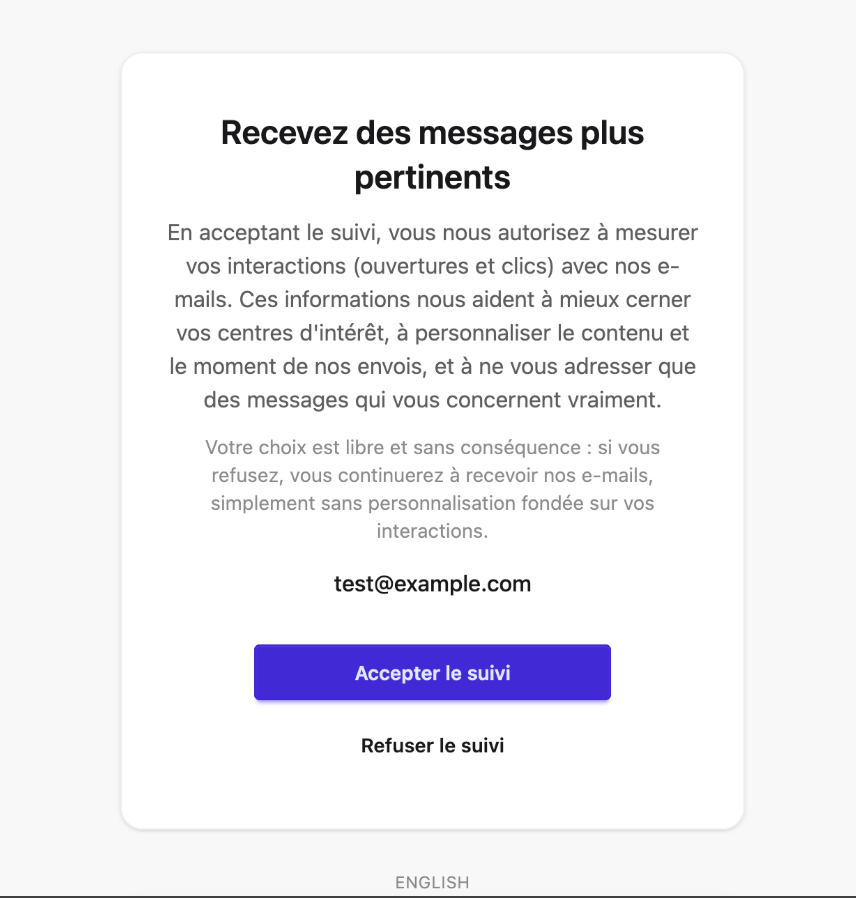
By clicking this link, the recipient can freely exercise their choice.
Tracking report
The tracking report clearly distinguishes “global” statistics from the statistics made possible by tracking consent.
In short: we are ready! The CNIL’s requirements are far from trivial on a technical level, and we have been especially quick to meet them: the OxiMailing software lets you meet the requirements from version 10.9.0, and the web app gives you even finer-grained consent management, recipient by recipient.
Questions?
ℹ️ Any question about your compliance? Contact support! We’re here to help 😊