
How do I send a file to the recipients of my message without attaching it?
Updated on November 28, 2026
Attaching a file makes the message heavier, the sending longer, and increases the risk of your message being classified as spam.
To avoid this kind of problem, put the file online and add a link to this file in your message.
You cannot upload files to your website?
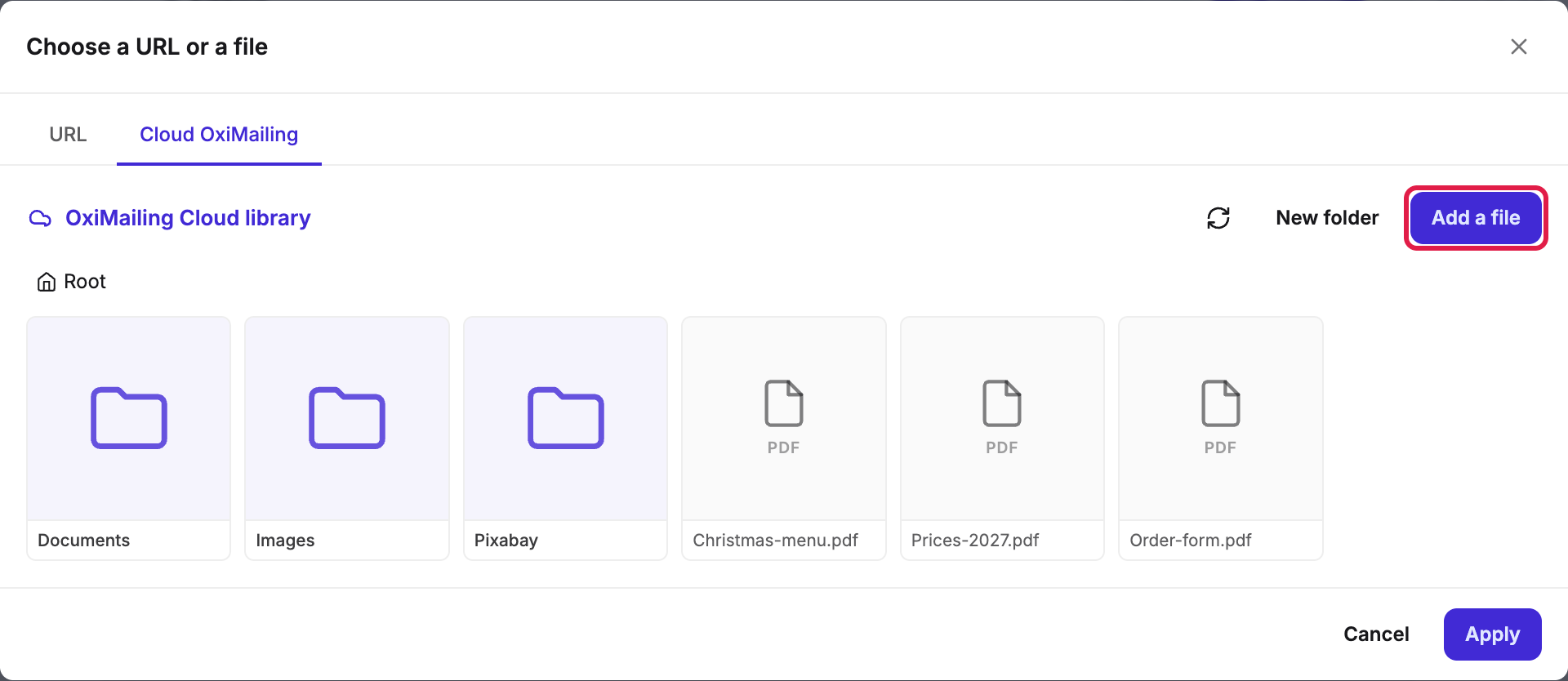
Use your OxiMailing storage space (the Cloud)! In the editor, insert a link, choose the “Absolute link (URL or Cloud file)” type, then click “Choose a URL or a file”. In the “Cloud OxiMailing” tab, the “Add a file” button uploads the file from your computer: all you have to do is select it and click “Apply”.
Software
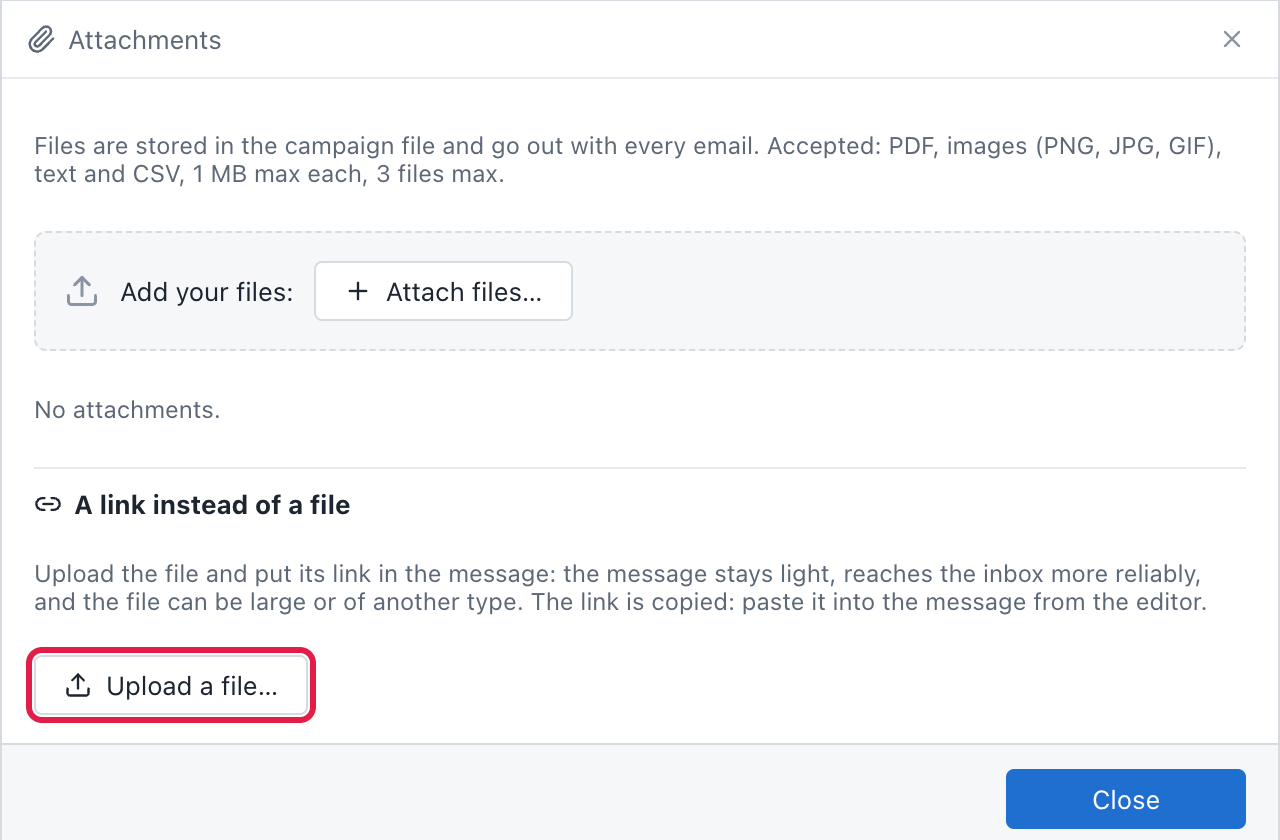
Shortcut: in step “2 Message”, click “Attachments”, then, in the “A link instead of a file” part, “Upload a file…”. The file is uploaded to your Cloud and its link is copied: then paste it into the message from the editor.
Web app
You can also upload your files in “Storage space” (left-hand menu, “Settings” section), then use “Copy URL” on a file to get its address.