
How to customize the message?
Updated on November 28, 2026
The concept
For each of your recipients, you have their phone number and often other information, such as their first and last name.
The idea of personalization is to use the fact that OxiSMS sends an SMS to each of your recipients to personalize the message addressed to them.
Thanks to the customization you will be able, for example, to send SMS messages containing “For the attention of Mary Smith”, with each recipient’s first and last name!
How does it work?
Software
This information comes from the columns of your recipient list (step “1 Recipients”).
In step “2 Message”, click the “Fields” button above the message and choose the field to insert:
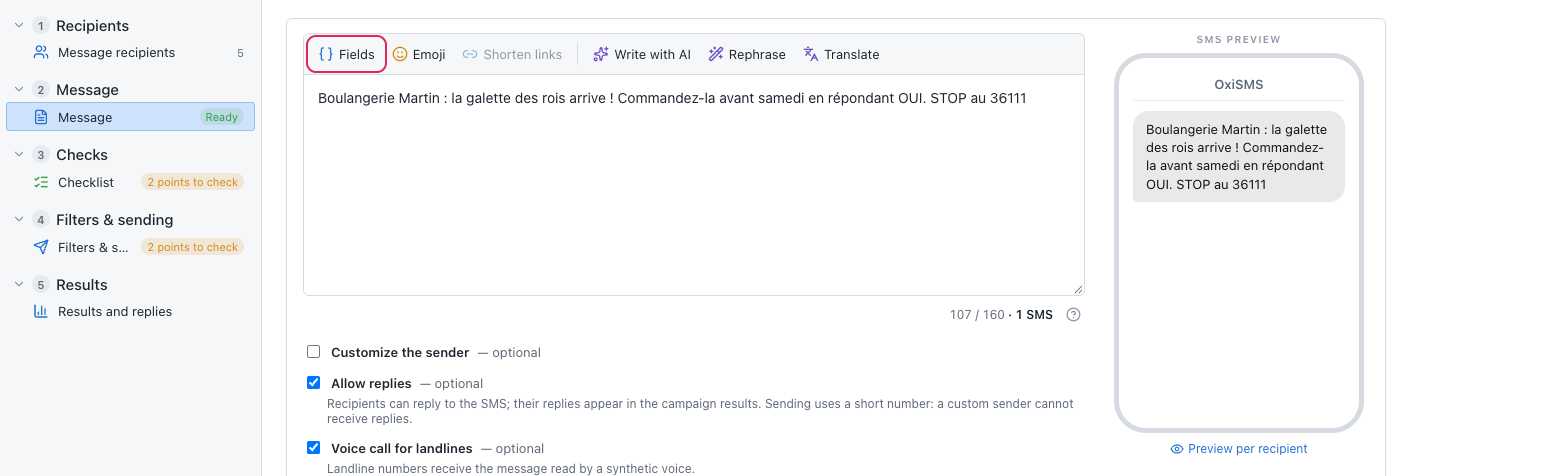
The field appears as {{prenom}} and will be replaced, for each recipient, by their own value. The preview on the right shows the result; “Preview per recipient” shows it for each one.
Good to know: you can also use Advanced customization (functions).
Web app
This information comes from your contacts in the Contact Manager: the standard fields (first name, last name…) and your own fields, created in “Contacts” > “Custom fields”.
In your campaign, in the “Message” section, click the “Fields” button and choose the field to insert. It appears as {{firstName}} and will be replaced, for each recipient, by their own value.
You can then preview the result using the campaign’s “Preview” button.